Portable Folding Projection Screens for Events
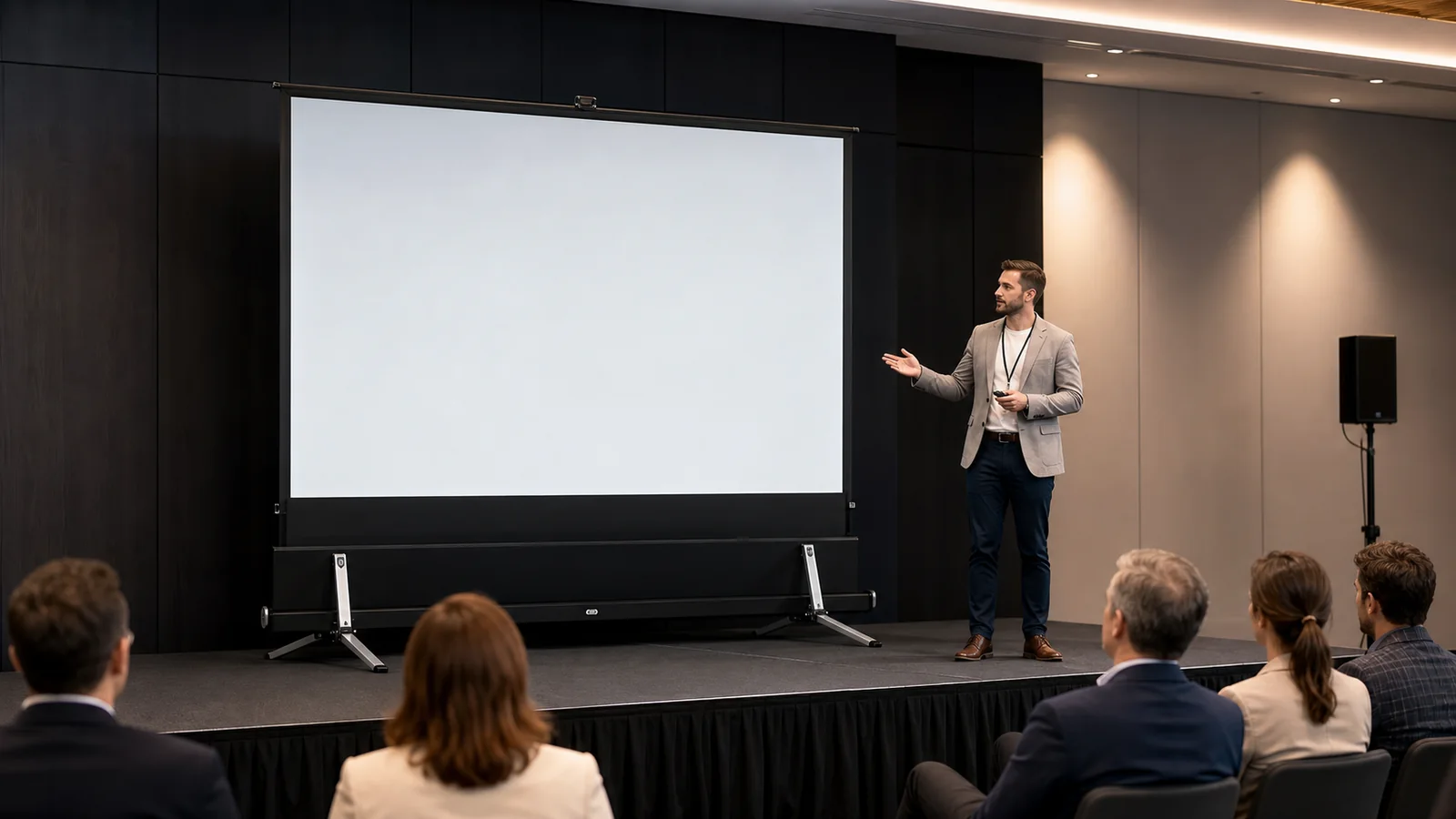
A portable folding projection screen for events is a strong choice when an event projection screen must deliver a large image, repeatable setup and transport between venues. A fast-fold projector screen can suit exhibitions, conferences and temporary stages, while a rental fleet needs consistent frames, surfaces, cases and replacement parts across repeated jobs. Choose the screen from the audience, content, projector, ambient light, front- or rear-projection layout, frame stability, setup crew, transport route and venue safety requirements.
For exhibitions, conferences, banquets and temporary presentations, the screen is only one part of the display system. A large frame that fits the image brief may still fail if the projector lacks brightness, rear-projection depth is unavailable, the flight case cannot reach the room, or the frame cannot be safely stabilized.
In This Guide
Who This Guide Is For
- event and rental companies;
- AV integrators and staging suppliers;
- exhibition contractors;
- hotels and conference venues;
- distributors sourcing portable screen ranges;
- corporate buyers running repeated temporary events.
MGF’s current commercial display application covers temporary and customer-facing projection environments while a dedicated events/rental application page is still to be added.
Portable Screen Types Compared
| Screen type | Best fit | Key strength | Main limitation |
|---|---|---|---|
| Folding frame / fast-fold | Larger events and repeat setups | Rigid frame, replaceable surface and transport case | Requires floor space, crew and stabilization |
| Outdoor detachable frame | Smaller outdoor or community use | Lightweight and anchorable | Wind and weather require strict control |
| Floor pull-up | Mobile presentations and training | Fast deployment without frame assembly | More limited practical size |
| Desktop pull-up | Small meetings and demonstrations | Compact and table-ready | Not suited to a large audience |
Explore MGF’s portable projection screen category to compare the available formats.
How a Folding Event Screen Works
A portable folding screen typically combines:
- a folding aluminum frame with hinged sections;
- detachable legs or supports;
- a flexible projection surface attached around the frame;
- fasteners such as snap buttons;
- height or support adjustments depending on the model;
- a transport or flight case.
MGF’s supplied product matrix describes its portable folding projection screen with a reinforced aluminum frame, folding hinges, quick-fixing buttons, height adjustment and a portable flight case. The matrix lists common 4:3 and 16:9 formats and selected 100-, 120-, 150-, 184- and 275-inch sizes. Current model dimensions, case size, weight and surface options must be confirmed before ordering.
Fast-Fold Screen Specifications for Event Procurement
The public MGF product matrix confirms the following Portable Folding Series directions. It does not publish a universal model code, case size or weight for every configuration, so those fields must be confirmed on the quotation for the selected size, aspect ratio and surface. This is the level of detail an event rental projection screen or folding frame projection screen should have before purchase.
| Available size / configuration | Matrix-verified product data | Frame, case and weight fields to confirm |
|---|---|---|
| 100″ | Portable Folding Series; 4:3 or 16:9 direction; PVC Soft White, PVC Rear Projection, PVC Grey Front Black Back or Grey 3D Metallic surface options | Confirm per selected size, aspect ratio and quotation |
| 120″ | 120″ 16:9 reference drawing shows 2,652 mm viewing width × 1,494 mm viewing height; reinforced aluminum folding frame; freestanding manual setup | Confirm complete frame dimensions, case external dimensions and net/gross weight |
| 150″ | Portable Folding Series size listed in the product matrix; 4:3 or 16:9 direction and four listed surface families | Confirm model/configuration code, frame dimensions, case dimensions and weight |
| 184″ | Portable Folding Series size listed in the product matrix; folding hinges, quick-fix buttons, height adjustment and flight-case transport direction | Confirm model/configuration code, frame dimensions, case dimensions and weight |
| 275″ | Portable Folding Series size listed in the product matrix; large-event configuration requiring projector, venue-access and stabilization review | Confirm model/configuration code, complete frame dimensions, case dimensions and weight |
Quote-stage fields to confirm
| Procurement field | What to confirm before purchase or rental |
|---|---|
| Setup labor | Recommended installation crew and realistic fast-fold screen setup time for the selected size and venue access. |
| Projector reference | Required projector brightness, lens and throw distance for the image area, surface and ambient-light condition; use the AV designer’s calculation rather than a generic lumen promise. |
| Service terms | Warranty scope, lead time, MOQ, sample availability, spare parts and replacement-surface availability. |
| Documents | Applicable certification, inspection or test documents for the supplied components, plus the current datasheet, drawing and installation instructions. |
| Buying or renting | Whether ownership, rental, or a mixed fleet is more suitable after considering event frequency, storage, transport, maintenance and replacement needs. |
Use this as a procurement checklist, not as a substitute for the current drawing and packing list. Ask MGF to state the exact model or configuration code, visible width and height, overall frame size, surface, support parts, flight-case external dimensions, net weight, gross weight, package quantity and the quote-stage fields above.
Step 1: Define Audience and Content
Record:
- audience size and seating area;
- nearest and farthest viewing positions;
- presentation, video, sponsor graphics or mixed content;
- indoor or outdoor use;
- daytime or controlled lighting;
- single event or repeated rental use;
- stage height and scenic design.
Detailed slides and sponsor text may require a larger or higher image than entertainment video. Test the smallest important content from the farthest viewer.
Step 2: Calculate Image Size and Aspect Ratio
Choose aspect ratio from the primary content and projector. 16:9 is common for video and modern presentations. 4:3 remains relevant for selected legacy or event formats.
Check visible width and height, not only diagonal. A 275-inch screen has major implications for projector brightness, frame width, ceiling clearance, case transport, labor and safety. Verify that the complete frame—not just the image—fits the stage and venue.
Also check:
- bottom image edge above audience sightlines;
- top frame below ceiling, lighting and rigging;
- side clearance for legs and stabilization;
- projector throw distance;
- rear-projection depth if used;
- entrance, elevator and loading-route dimensions.
Step 3: Choose Front or Rear Projection
Front projection
The projector sits on the audience side of the screen. It usually requires less depth behind the screen and can be easier in shallow rooms.
Plan for:
- projector placement outside audience traffic;
- beam clearance above heads and scenic elements;
- shadows from presenters;
- projector noise and sightlines;
- secure cabling and equipment barriers.
Rear projection
The projector sits behind a compatible rear-projection surface. This can keep equipment out of audience view and reduce presenter shadows, but it requires sufficient backstage depth and light control.
Confirm:
- surface orientation and rear-projection compatibility;
- required throw distance and lens;
- image mirroring in the signal chain;
- backstage clearance and safety;
- unwanted light behind the screen;
- projector heat and ventilation.
The MGF product matrix lists PVC soft white, PVC rear-projection, front-grey/back-black and grey metallic options for the folding screen family. Treat these as configuration directions; confirm current model compatibility and test the intended projector/surface combination.
Step 4: Calculate Brightness for the Venue
As image area grows, available projector light is spread over more surface. Event lighting, stage wash, exhibition-hall light and outdoor dusk conditions can reduce contrast.
The AV designer should calculate expected on-screen brightness using:
- calibrated projector output;
- image area;
- lens and throw position;
- screen gain and viewing angle;
- front or rear projection;
- ambient light at the screen;
- content type.
Do not choose a high-gain or “ALR” surface from a label alone. Directional materials can trade viewing angle and uniformity for brightness or contrast behavior.
Step 5: Check Frame, Legs and Stability
The frame must be assembled fully, locked correctly and supported according to the model instructions. Inspect hinges, corner joints, fasteners, legs and surface attachment points before each event.
Plan:
- level floor and enough footprint;
- no conflict with stage edges or emergency routes;
- appropriate stabilization and ballast defined by a competent event professional;
- barriers where the audience could contact supports;
- cable management around projectors and controls;
- safe handling so the frame is not twisted during assembly.
Never infer outdoor wind suitability from the word “portable.” Wind can turn a large screen into a sail. Follow venue rules, weather monitoring and engineering/safety requirements; lower and secure the system when conditions are unsafe.
Step 6: Plan the Setup Workflow
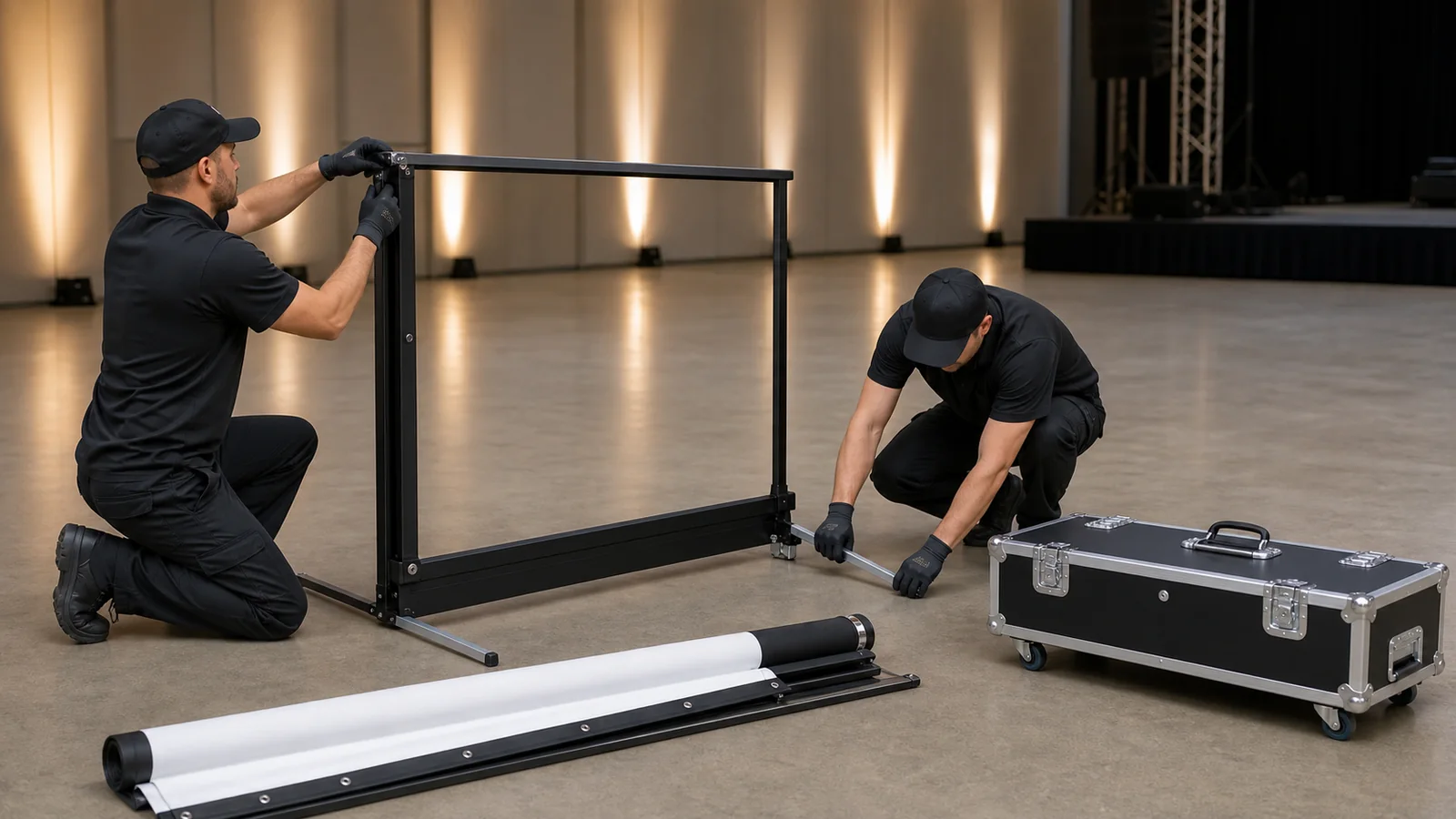
A repeatable method reduces damage and labor variation:
- inspect the case and confirm all parts;
- move components to a clean assembly area;
- unfold and lock the frame without forcing hinges;
- attach the correct legs and hardware;
- install the surface with clean hands, following the recommended fastening sequence;
- raise and position the screen with enough crew for its size;
- level, stabilize and establish a protected footprint;
- align the projector and test the full content;
- record any damage before pack-down;
- clean and dry components as required before storage.
Do not place the viewing surface face-down on a dirty stage. Keep sharp tools, hook-and-loop fasteners and rough hardware away from the image area.
Step 7: Evaluate Transport and Storage
For rental and touring use, packaging is part of product performance. Confirm:
- flight-case external dimensions and weight;
- handles, wheels and lifting method;
- loading-door, elevator and vehicle fit;
- part organization inside the case;
- protection for the folded surface;
- replacement surface and hardware availability;
- dry, temperature-appropriate storage;
- case labeling and inventory records.
Assign each screen, surface, frame and accessory kit an asset ID. After each event, record missing hardware, surface marks, bent parts and case damage.
Step 8: Inspect the Surface Before Show Time
Install early enough for the surface to settle and for corrective action. Inspect with the projector running and venue lighting in show condition.
Check:
- correct front/rear orientation;
- even attachment around the frame;
- no missing fasteners;
- visible creases, marks or contamination;
- image squareness and focus;
- brightness uniformity;
- acceptable viewing from side seats;
- no light leaks or backstage interference for rear projection.
Define acceptable condition before procurement, especially for rental fleets where cosmetic wear and functional performance need separate criteria.
Selecting an MGF Portable Format
Portable folding projection screen
Use for larger events, exhibitions, banquets and temporary venues needing a framed image and repeated transport. Confirm the complete frame, legs, surface, case and accessories in the quotation.
Portable outdoor screen
MGF’s supplied matrix describes a lightweight detachable aluminum frame with ground stakes and steel ropes for selected outdoor setups. This does not remove the need for site-specific wind and safety planning.
Manual floor pull-up screen
This format uses a portable floor housing and support mechanism for smaller mobile presentations. It can reduce setup steps where a full folding frame is unnecessary.
Portable desktop pull-up screen
Use for tabletop demonstrations, sales presentations and very small meetings. Confirm that the image is large enough for the viewing distance.
Procurement Checklist for Events and Rental Fleets
Include:
- visible image size and aspect ratio;
- front- or rear-projection surface;
- complete frame and leg dimensions;
- height settings;
- projector model, lens and planned throw;
- indoor/outdoor use limitations;
- flight case, case dimensions and weight;
- spare fasteners, hardware and surface availability;
- setup instructions and parts list;
- quantity, destination and transport method;
- labeling or private-brand requirements;
- current compliance documents relevant to supplied components.
For repeated orders, approve a sample configuration and maintain the same revision across the fleet.
Common Event-Screen Mistakes
- Choosing diagonal size without checking full frame dimensions;
- underestimating projector brightness for a large image;
- selecting rear projection without enough backstage depth;
- allowing stage light to fall directly on the screen;
- ignoring the flight case in venue-access planning;
- assembling the surface on a dirty floor;
- operating outdoors without competent wind and safety planning;
- mixing frame, surface or hardware revisions across a fleet;
- presenting generated event imagery as a real delivered project.
FAQ
What size folding screen is best for an event?
It depends on audience distance, content, stage dimensions, projector brightness and venue access. Calculate visible width and height, then verify the complete frame, case and setup footprint.
Should I use front or rear projection?
Front projection requires less backstage depth but needs a protected projector position and beam path. Rear projection can keep equipment out of view and reduce presenter shadows, but requires compatible material and sufficient space behind the screen.
Can a portable folding screen be used outdoors?
Only with model-appropriate setup and a site-specific safety plan. Large screens are highly affected by wind. Follow venue, weather and competent engineering or event-safety requirements.
How should a folding projection surface be stored?
Follow the product instructions. Keep it clean, dry and protected from sharp hardware, excessive heat, moisture and compression that could create damage. Confirm the recommended folding method for the exact material.
What spares should a rental company keep?
Consider model-specific fasteners, corner or hinge hardware, leg components, case parts and replacement surfaces. Base stock on fleet size, wear history and supplier availability.
Request an Event Screen Recommendation
Send MGF your event type, audience, visible size, aspect ratio, projector and lens, front/rear projection, indoor/outdoor use, setup frequency, transport requirements, quantity and destination.
Contact MGF Screens for a portable folding screen quotation.
---