Full-Screen vs 10mm Narrow-Bezel Fixed Frame Screens
---
In This Guide
Quick Answer
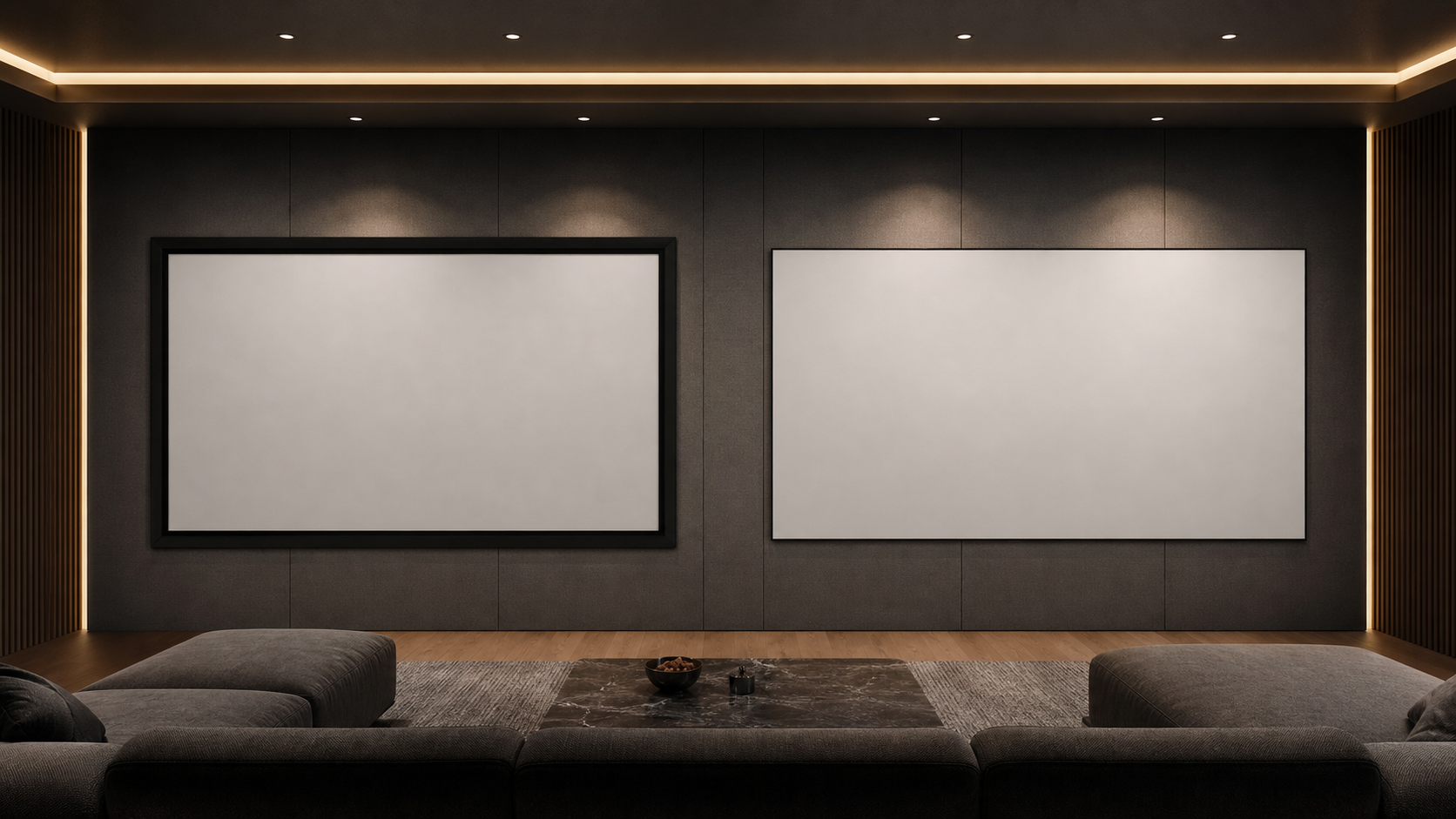
Full-screen and 10mm narrow-bezel fixed frame screens are both permanent screen-wall solutions, but they serve different visual and installation priorities. A full-screen frame can give the image a defined border and a strong cinema presence. A narrow bezel can reduce the visible frame around the image when the project wants a more minimal architectural finish.
The right choice depends on the wall, projector, viewing layout, screen material and desired border—not only on the number of millimeters in the frame.
Who This Guide Is For
This guide is for AV integrators, distributors, contractors and project buyers who need a documented selection and project-planning path for this topic before requesting a quotation.
Start With the Image Plane
Define the visible image first. Record image width, height, aspect ratio, projector lens position, nearest seats and the content that will be displayed. Check subtitles, presentation menus and mixed-aspect content instead of choosing from diagonal alone.
The Full-Screen Fixed Frame Projection Screen and Ultra-Narrow Bezel Fixed Frame Projection Screen pages should be treated as product-family starting points. Confirm the current size range, frame dimensions, material and mounting details for the exact model.
What “Full Screen” Usually Means
A full-screen fixed frame generally presents a clearly defined black or finished frame around the visible image. The border can help visually separate the image from a light wall and can provide a strong reference for alignment.
It is often considered for dedicated home theaters, media rooms and installations where the screen wall is designed around the projection image. The frame, wall treatment, speakers and image height should be planned as one system.
What a 10mm Narrow Bezel Changes
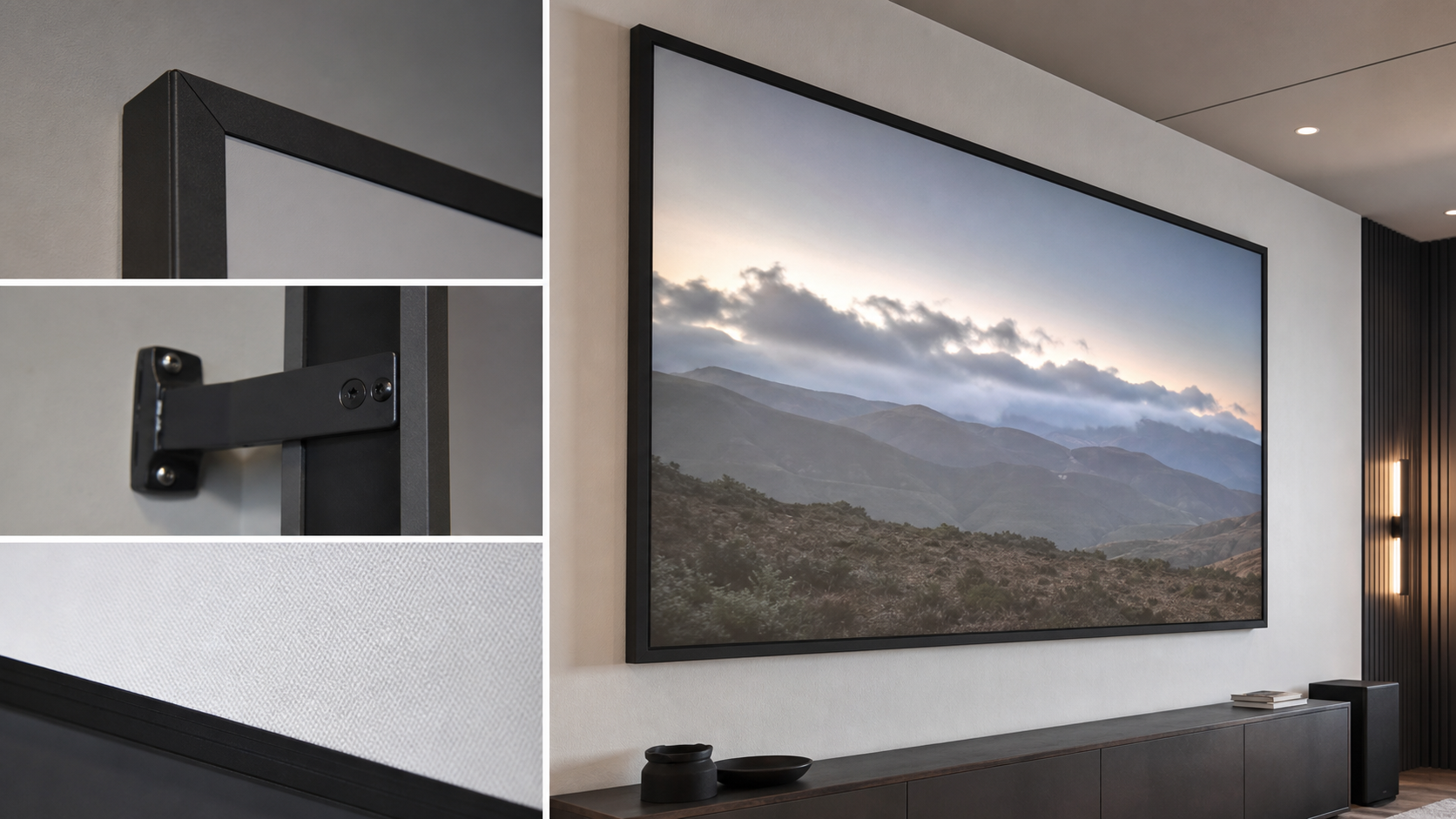
A 10mm narrow bezel focuses attention on the image and may suit a modern commercial or residential interior. The narrower visual edge does not remove the need for a rigid frame, a flat wall and accurate installation. It also does not mean every material, size or speaker arrangement is available in the same construction.
Ask the supplier to confirm the actual visible border, overall frame size, corner construction and mounting hardware. Treat “10mm” as a model specification, not as a universal standard across manufacturers.
Side-by-Side Decision Table
| Requirement | Full-screen fixed frame | 10mm narrow-bezel fixed frame |
|---|---|---|
| Visual effect | Stronger defined image boundary | Minimal frame appearance |
| Typical room direction | Dedicated theater or media room | Modern home theater, showroom or commercial room |
| Wall requirement | Flat, stable and accurately finished | Flat, stable and accurately finished |
| Material choice | Model dependent | Model dependent |
| Speaker planning | Beside, below or behind with compatible surface | Same; narrow bezel does not replace acoustic planning |
| Main verification | Border, frame width and image size | Actual bezel, corner and mounting detail |
Match the Material to the Projector
Fixed-frame geometry does not make an unsuitable fabric perform correctly. Matte white can be a useful baseline in controlled light. Grey or ALR surfaces may be considered when room light or contrast expectations require them. Acoustic transparent materials may help hide speakers behind the image, but texture and audio performance should be sampled.
Use the Screen Materials Hub and the acoustic transparent projection screen guide before finalizing the frame.
Plan the Wall and Speakers
Confirm the wall structure, mounting height, side clearance, power or signal route for the projector, and space for speakers. A narrow bezel may look clean, but an uneven wall or poorly centered speaker layout will still be visible.
For home theater projects, link the Home Theater application page and compare the fixed frame versus motorized home theater guide. For commercial presentation spaces, a Commercial Display use case may prioritize a different frame and maintenance plan.
Viewing Environment and Visual Edge
The border is most useful when the surrounding wall is brighter, the room has stray light or the content frequently changes between video and presentation formats. A full-screen frame can establish a strong visual boundary in those conditions. A narrow bezel can be preferable when the room design emphasizes a light, minimal edge and the wall can be kept visually controlled.
Neither frame removes the need to control reflections or align the image. Check the wall color, ambient light, ceiling finish and nearby windows. View the proposed frame from the actual seats and confirm that the border does not conflict with subtitles, graphics or the intended masking method.
Installation Tolerance and Long-Term Care
Fixed frame screens need a stable wall and accurate assembly. Mark the centerline, outer frame, mounting points and speaker positions before drilling. Check the frame diagonals and image alignment during installation. If the frame is moved after the material is attached, follow the product instructions to avoid stressing the surface.
Keep the screen free from direct contact, dust and cleaning chemicals that are not approved for the material. A narrow bezel may make the screen look delicate, but the same basic surface-protection rules apply to both frame directions.
What to Include in the RFQ
Send the supplier:
- visible image dimensions and aspect ratio;
- desired border or bezel direction;
- projector model and lens position;
- room light and seating plan;
- material preference or sample request;
- speaker location and acoustic requirement;
- wall construction and mounting height;
- target quantity, finish and delivery location.
For an OEM or repeated project, request an approved drawing and version-controlled sample. Review MGF Screens’ Factory & Production information and send the final request through Contact.
MGF Product Direction
MGF can compare suitable product directions once the project brief confirms visible image size, aspect ratio, projector geometry, material direction, mounting condition, control requirements, quantity and destination market. The final quotation should identify the exact model, compatible material, drawing and approval information rather than treating a generic guide as a product specification.
Project / OEM Checklist
- visible image width, height and aspect ratio;
- projector model, lens position and image geometry;
- room or venue use, seating and ambient-light condition;
- proposed material, structure, mounting and service access;
- power, control and installation responsibility where relevant;
- required quantity, destination market, drawing revision and approval owner.
Continue Your Project Planning
- Screen Selection Guides
- Electric Projection Screens
- Fixed Frame Projection Screens
- Conference Room Applications
- Factory & Production
- Projection Screen Size and Aspect Ratio Guide
- Contact MGF Screens
FAQ
Is a narrow bezel always better for a home theater?
No. It is a visual preference. The wall, frame rigidity, surface, speakers, projector and content determine the final result.
Does a full-screen frame improve contrast?
A dark border can provide a visual reference around the image, but perceived contrast depends on the projector, material, room light and image content.
Can an acoustic transparent material be used with either frame?
Only if the exact frame and material are compatible. Approve both image and sound with a sample or project test.
Is the frame width the same as the visible border?
Not necessarily. Confirm visible image, border, overall frame and mounting dimensions separately.
Request a Fixed-Frame Comparison
Share your image size, projector, wall condition, speaker layout and preferred border style with MGF Screens. The supplier can then confirm whether a full-screen or narrow-bezel family is more appropriate.