AST vs PM Projector Mounts: A Project Specification Guide

---
In This Guide
Quick Answer
AST and PM may identify different projector-mount families or configurations in a project catalogue. The correct choice cannot be made from the abbreviation alone. The integrator must confirm the projector dimensions, weight, adjustment needs, ceiling structure, cable route and service method for the exact model.
This guide helps buyers prepare a comparison without turning a product code into an unsupported load, compatibility or safety claim.
Who This Guide Is For
This guide is for AV integrators, distributors, contractors and project buyers who need a documented selection and project-planning path for this topic before requesting a quotation.
Start With the Projector
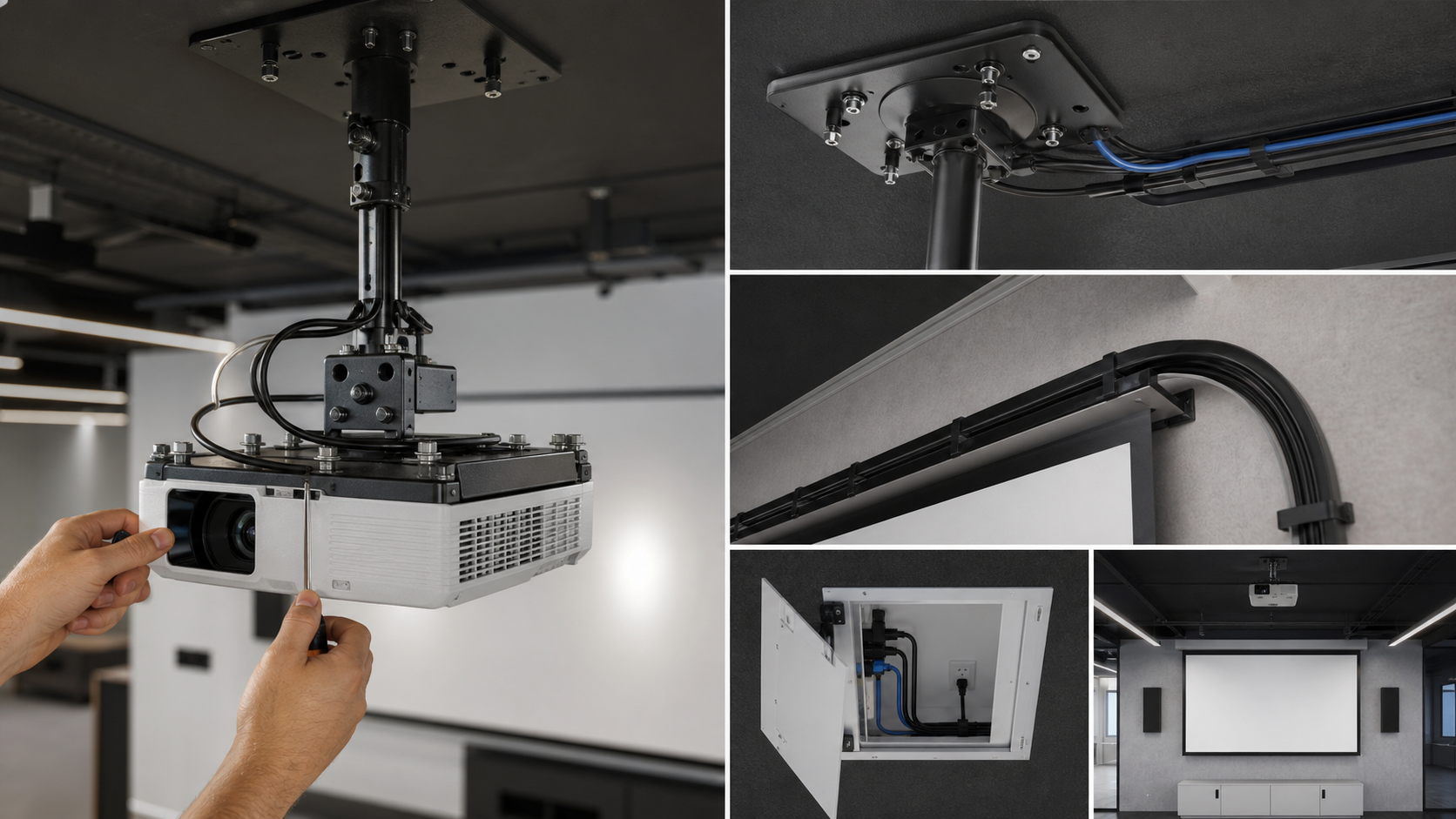
Record the projector brand and model, total installed weight, dimensions, lens position, orientation, cable exits, ventilation clearance and the required image. The mount must position the projector accurately relative to the screen and leave enough access for focusing, filter or lamp service where applicable.
Use the projector pairing guide and the Electric Projection Screens product family as related links. For a concealed ceiling screen, review the In-Ceiling Electric Screen installation direction.
What to Compare Between AST and PM
Do not assume the codes have the same meaning across suppliers. Request the current technical data for both proposed models and compare:
| Specification | Questions to ask |
|---|---|
| Projector fit | Is the model compatible with the projector dimensions and fixing pattern? |
| Load | What documented load and safety factor apply to this model and installation? |
| Adjustment | How are pitch, yaw and roll adjusted and locked? |
| Ceiling interface | What fixing plate, drop or adapter is required? |
| Cable route | Can power, signal and control cables exit without strain? |
| Service | Can the projector be reached without dismantling the screen or ceiling? |
| Documentation | Is there a current drawing, manual and parts list? |
The right mount is the one that passes the complete project review, not the one with the shorter product code.
Coordinate With the Screen and Room
The projector mount should be aligned with the screen’s image plane, lens position and final image height. For a conference room, check the Conference Room application. For education, consider the projector position, student sightlines and daily service requirements through Education Classroom.
For large or commercial rooms, use Commercial Display as a related application link. The screen, mount, projector and control sequence should appear on the same coordination drawing.
Installation and Adjustment Workflow
Before drilling, mark the projector centerline and mounting points. Confirm the ceiling substrate, anchors, adapter, drop length, cable slack and service access. Install the mount according to the current instructions, then align the projector using a test pattern and the approved screen image.
Record final pitch, yaw, roll, lens shift, cable labels and any locking points. Do not use a mount adjustment to correct a screen that is installed out of level. If the screen fabric, housing or frame is not aligned, correct that issue separately.
Procurement and Handover Checklist
Include:
- AST or PM model and drawing revision;
- projector model, dimensions and installed weight;
- ceiling structure and fixing method;
- adapter or extension requirements;
- cable and ventilation plan;
- screen image size and throw geometry;
- adjustment and locking procedure;
- service access and replacement plan;
- final alignment and acceptance record.
For production and document control context, reference Factory & Production and send the combined screen/accessory request through Contact.
MGF Product Direction
MGF can compare suitable product directions once the project brief confirms visible image size, aspect ratio, projector geometry, material direction, mounting condition, control requirements, quantity and destination market. The final quotation should identify the exact model, compatible material, drawing and approval information rather than treating a generic guide as a product specification.
Project / OEM Checklist
- visible image width, height and aspect ratio;
- projector model, lens position and image geometry;
- room or venue use, seating and ambient-light condition;
- proposed material, structure, mounting and service access;
- power, control and installation responsibility where relevant;
- required quantity, destination market, drawing revision and approval owner.
Continue Your Project Planning
- Screen Selection Guides
- Electric Projection Screens
- Fixed Frame Projection Screens
- Conference Room Applications
- Factory & Production
- Projection Screen Size and Aspect Ratio Guide
- Contact MGF Screens
FAQ
Are AST and PM universal projector-mount standards?
No. They may be product-family or supplier codes. Confirm the meaning and specification from the current catalogue.
Can I choose a mount by projector weight alone?
No. Dimensions, fixing pattern, orientation, ceiling structure, adjustment and service access also matter.
Does the mount affect screen size?
It affects projector position and alignment, which must be coordinated with the screen size and throw geometry.
What should be approved for an OEM project?
Approve the mount model, projector fit, drawing, hardware list, adjustment method and document revision.
Request an AST or PM Compatibility Review
Send the projector model, ceiling drawing, screen, image size and preferred AST or PM direction to MGF Screens or the responsible AV integrator. Request model-specific compatibility before ordering.