Motorized vs Manual Projection Screens for Commercial Projects
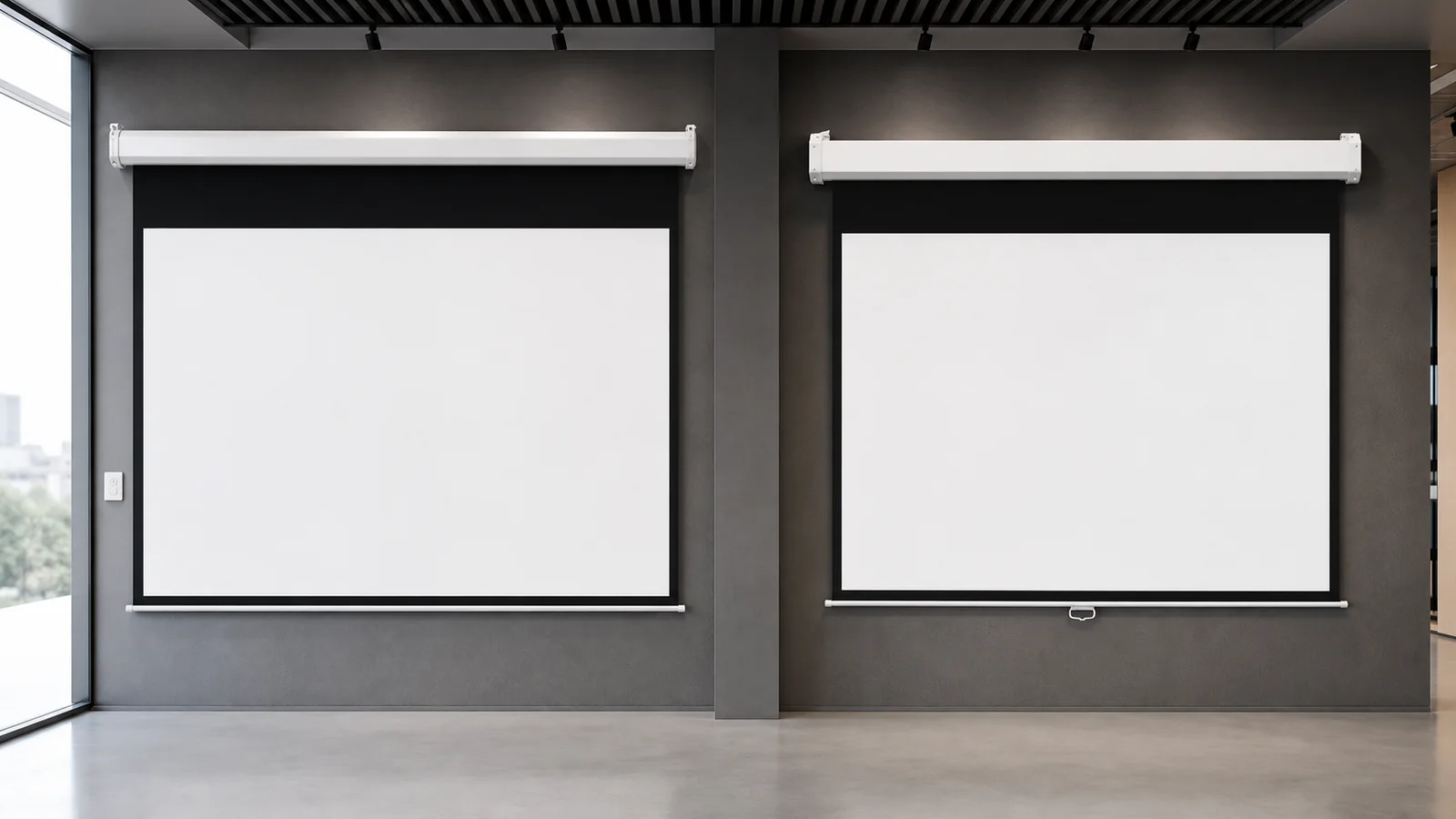
A motorized projection screen is usually the better choice for frequently used rooms, integrated AV systems and installations where the screen must deploy consistently at the touch of a button. A manual screen is often the better value for smaller rooms, occasional use and projects where power and control integration are unnecessary.
The right decision is not “electric is premium, manual is basic.” It depends on room use, installation access, user workflow, surface requirements, maintenance strategy and total project cost. This guide compares both options for AV integrators, contractors, schools, offices and commercial buyers.
In This Guide
Quick Comparison
| Decision factor | Motorized screen | Manual screen |
|---|---|---|
| Operation | Motor, switch, remote or control system | Pull down and retract by hand |
| Best fit | Frequent use, integrated rooms, polished installations | Occasional use, simple rooms, budget-led projects |
| Power required | Yes | No |
| Control integration | Available depending on model | Generally not required |
| Installation planning | Power, controls and access must be coordinated | Simpler wall or ceiling mounting |
| User consistency | High when limits and controls are configured | Depends on correct manual operation |
| Maintenance | Motor and controls add service considerations | Spring/locking mechanism requires correct handling |
| Surface options | Standard roll-down or tab-tensioned configurations | Commonly standard roll-down surfaces |
| Up-front cost | Usually higher | Usually lower |
Which Screen Should You Choose?
| Use case | Recommended direction | Why |
|---|---|---|
| High-frequency meeting room with automated AV control | Motorized screen | Consistent deployment and easier room-control integration; confirm the exact control method. |
| Multiple classrooms or rooms with a tight equipment budget | Manual screen | No screen-side power or control wiring; confirm that users can safely reach and operate it. |
| Design-sensitive or concealed installation | Recessed motorized screen | Housing can be concealed above the finished ceiling, but access, power and service planning must happen early. |
| Priority on a flatter viewing surface | Tab-tensioned configuration | Evaluate the complete tensioning design, material, size and installation; motorized does not automatically mean flat. |
| Existing wall with no practical new wiring | Manual screen | Can avoid new electrical work when the mounting position and user access are suitable. |
| Classroom with low maintenance expectations | Manual or basic motorized | Choose from operating frequency, mounting height, standardization and service access rather than price alone. |
If wall or ceiling installation is unsuitable, review the floor-rising projection screen guide for base position, furniture clearance and service access. A floor-rising design is an installation choice; confirm separately whether powered operation or a manual floor pull-up screen fits the room workflow.
Who Should Use This Guide?
Use this comparison if you are selecting screens for:
- meeting and conference rooms;
- classrooms and training rooms;
- multipurpose halls and community spaces;
- hospitality and commercial presentation areas;
- multi-room rollouts;
- AV projects requiring wall, ceiling or recessed installation.
For a dedicated cinema or a room where the screen remains visible, a fixed-frame screen should also be part of the comparison. This guide focuses on retractable motorized and manual formats.
When a Motorized Projection Screen Is the Better Choice
The room is used frequently
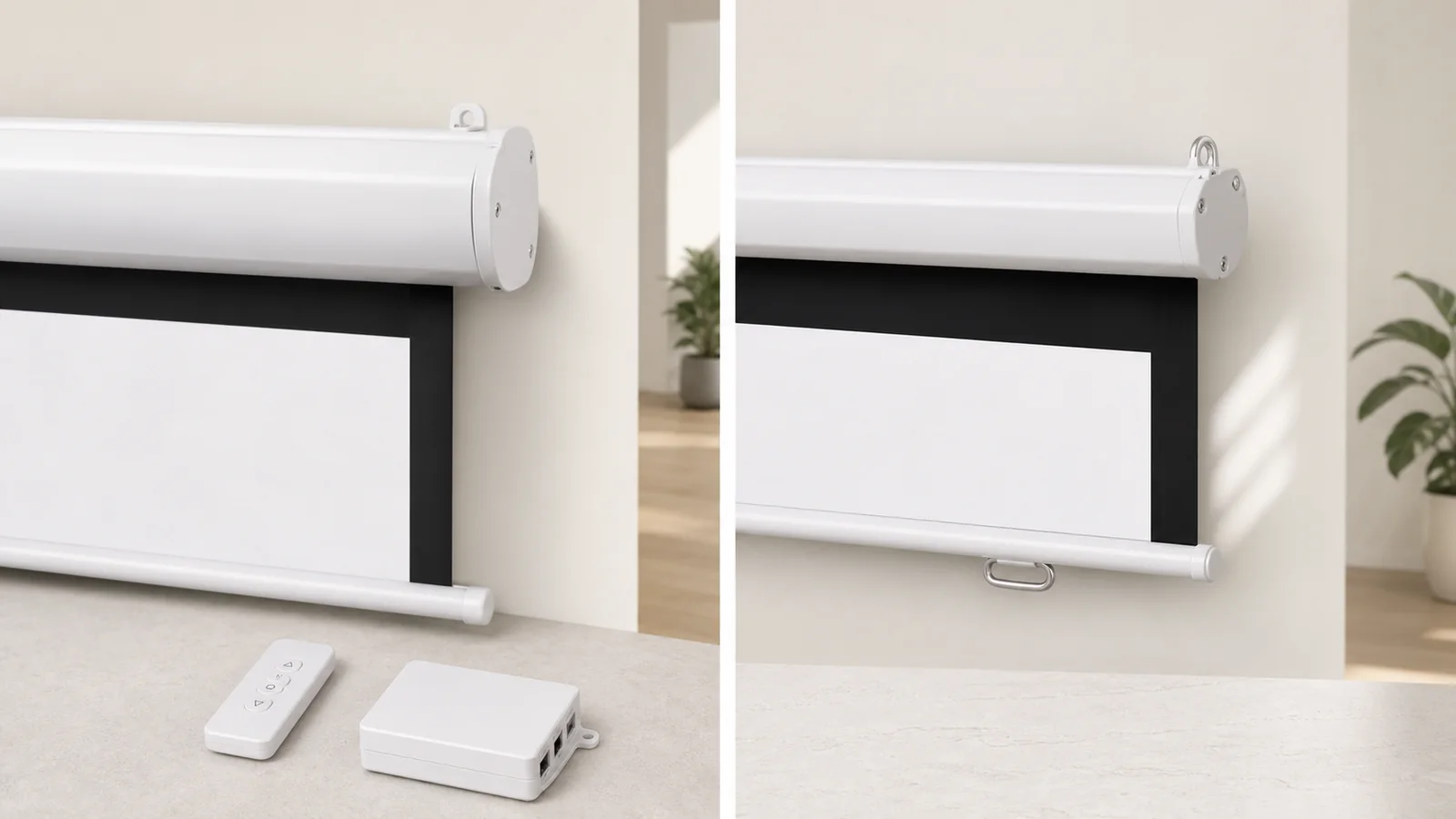
In a busy meeting room or training space, one-button deployment reduces user effort and makes the AV workflow more consistent. A motorized screen can be lowered before a session and retracted when the display is not needed.
The screen must integrate with the AV system
Depending on the selected model and configuration, a motorized screen may use a wall switch, wireless remote, trigger or other control option. Integration matters when a room controller needs to coordinate the projector, lighting, screen and audio.
Confirm control compatibility before ordering. “Remote control included” does not automatically mean the screen can communicate with every building or AV control platform.
The project needs a concealed installation
An in-ceiling electric projection screen can hide the housing above the finished ceiling and leave a clean room appearance when retracted. This is useful in executive meeting rooms, hospitality spaces and other design-sensitive environments.
Recessed installation requires earlier coordination than a surface-mounted screen. The ceiling opening, structural support, power supply, access panel, throw path and final viewing position should be confirmed before ceiling closure.
The screen requires tab tension
Motorized screens can be configured with side tensioning to support a flatter viewing surface. This can be valuable in image-critical spaces, larger sizes or selected screen materials. See MGF’s tab-tension projection screen range when surface planarity is a priority.
When a Manual Projection Screen Is the Better Choice
The room has simple operating needs
A manual pull-down screen is practical when users only need to deploy the screen occasionally and no automation is required. It avoids power wiring and reduces the number of electrical components in the system.
The budget must cover many rooms
For schools, community facilities or small meeting rooms, manual screens can reduce product and installation costs across a multi-room rollout. Savings should still be balanced against expected use: a frequently operated manual screen must be easy to reach and used correctly.
Power is unavailable at the screen position
In existing buildings, adding a compliant power supply may involve ceiling work, conduit and coordination with an electrician. A manual model may be more practical where the mounting location is suitable but new electrical work is not.
A straightforward replacement is required
When replacing an existing pull-down screen, a manual projection screen may fit the established user behavior and installation approach. Always verify overall housing dimensions and bracket positions rather than selecting only by diagonal size.
Four Retractable Screen Configurations
Do not treat “motorized” and “manual” as the only construction choices. The following configurations have different operating and flatness implications. Availability, size range and material compatibility must be confirmed for the selected product family.
| Configuration | What it means | Decision note |
|---|---|---|
| Standard manual pull-down | Manual spring or locking mechanism with no screen-side power. | Suitable for reachable, occasional-use installations; operation depends on correct handling. |
| Crank-operated manual | Manual deployment through a crank or geared mechanism rather than a simple pull-down. | Useful where reach or controlled deployment matters; confirm whether the selected supplier offers this construction. |
| Standard motorized roll-down | Powered roller with a switch, remote, trigger or other specified control method. | Convenient and integrable, but not automatically tab-tensioned or perfectly flat. |
| Motorized tab-tensioned | Powered roller with side tensioning designed to improve surface planarity. | Consider for image-critical rooms, while confirming material, size, tensioning and service requirements. |
Seven Factors to Decide Between Motorized and Manual
1. Frequency of Use
Estimate how often the screen will operate. Daily or multi-session use favors simple, consistent motorized operation. Monthly or occasional use may not justify controls and electrical installation.
Also consider who operates the room. A trained AV technician can manage a more complex workflow; a shared meeting room should be intuitive for first-time users.
2. Mounting and Service Access
Both screen types require suitable structural support and a clear deployment path. Motorized screens additionally require power and, in some cases, control cabling. Recessed screens need service access after the ceiling is complete.
Manual screens need a reachable pull point and sufficient clearance for users. If the screen is mounted too high, routine operation becomes inconvenient or unsafe.
3. Viewing Surface and Flatness
Any retractable surface is influenced by material, roller design, size, temperature, storage and installation alignment. A standard non-tensioned screen may be appropriate for general presentations. A tab-tensioned motorized screen is worth considering when a flatter surface is a central requirement.
Do not select material based on gain alone. Match the surface to projector type, ambient light, viewing angle, room layout and image content.
4. Control Workflow
Map the complete user sequence:
- How is the projector turned on?
- Who lowers the screen?
- Must lighting change at the same time?
- Should the screen stop at a preset position?
- What happens if the remote is lost or a controller is offline?
A motorized screen should have an agreed operating and fallback method. A manual screen should lock and retract predictably when used according to its instructions.
5. Noise and Room Experience
In a boardroom, home cinema or hospitality setting, deployment noise may be noticeable. Ask for current model information and, where possible, evaluate a sample in a quiet room. Installation quality can also affect vibration or rattling.
Manual operation creates a different user experience: there is no motor sound, but the user must pull and release the screen correctly.
6. Maintenance and Lifecycle
Motorized systems add a motor, power and controls that must remain accessible for service. Manual systems avoid electrical components but depend on a spring and locking mechanism. Neither is maintenance-free.
For both types:
- keep the deployment path clear;
- do not attach weight to the bottom bar;
- avoid touching or cleaning the surface with unapproved chemicals;
- inspect mounting hardware periodically;
- follow the manufacturer’s operating and storage guidance.
For commercial rollouts, ask how motors, controls, brackets, end caps and manual mechanisms can be identified and replaced.
7. Total Project Cost
Compare more than the screen price. Include:
- structural mounting and labor;
- power and control wiring;
- ceiling preparation and finishing;
- commissioning and user training;
- future access and maintenance;
- downtime or replacement effort.
A manual screen can have the lowest initial cost, while a motorized screen may provide better workflow value in a heavily used room. The correct choice is the one that fits the operating model over the expected service life.
Cost and Procurement Data to Confirm
Public MGF product pages describe product directions but do not publish one universal price, installation rate or lifecycle specification for every size and configuration. Ask for these fields on the quotation instead of comparing only the screen purchase price.
| Decision data | What to request before approval |
|---|---|
| Product and size | Exact product family, model or configuration code, visible width and height, aspect ratio, housing dimensions and compatible surface. |
| Project cost | Screen price, mounting hardware, installation labor, electrician or power-wiring allowance, control integration, ceiling preparation and commissioning. |
| Payback or operating frequency | Expected sessions per week or month and the labor or workflow value that justifies automation; use the project’s own usage model rather than a generic payback promise. |
| Performance | Motor run-cycle or duty information, deployment noise reference, lower/upper limit setting, and any sample or demonstration opportunity for a quiet room. |
| Service terms | Warranty scope, replacement motor or spring availability, control and bracket service, expected lead time, spare parts and repair process. |
| Installation time | Typical installation duration and crew requirements for wall-mounted, ceiling-mounted and recessed configurations, subject to site conditions. |
Commercial Application Recommendations
Conference and meeting rooms
Motorized screens are often preferred in integrated rooms because deployment can become part of the presentation workflow. Surface-mounted electric models suit many retrofit projects, while recessed models support cleaner new-build interiors. Review the conference room projection screen application before choosing the final configuration.
Classrooms and training rooms
Manual screens can be cost-effective for smaller, occasionally used rooms. Motorized screens can improve consistency in larger or frequently used teaching spaces. Mounting height, teacher access, durability and room standardization may matter more than visual appearance alone.
Multipurpose spaces
Consider how the room changes between activities. A retractable screen protects wall space and can be hidden when not in use. If different teams operate the room, motorized controls may reduce handling variation.
Design-sensitive interiors
A recessed motorized screen may be appropriate where equipment must disappear. Plan it early: a concealed product can be visually clean but difficult to modify after construction.
MGF Product Types to Compare
MGF’s electric projection screen category includes surface-mounted and in-ceiling formats. Available configurations vary by model, with common project considerations including screen size, aspect ratio, material, mounting and control method.
For simpler installations, the manual range includes self-lock pull-down models. The classic manual self-lock projection screen is an example of a wall- or ceiling-mounted manual format.
Do not copy one configuration across every room without checking projector throw, viewing distance, ceiling conditions and user workflow.
MGF Product Directions to Compare
Use the following MGF product families as starting points, then request the exact model, size, material, mounting and control configuration for the room.
| MGF direction | Installation / control direction | Best fit | Product page |
|---|---|---|---|
| Electric projection screen | Wall or ceiling mounted; control varies by model. | Meeting rooms, classrooms and commercial AV rooms needing powered deployment. | Electric screen range |
| Classic manual self-lock projection screen | Wall or ceiling mounted; manual self-lock operation. | Smaller rooms, occasional use and retrofit locations without new wiring. | Classic manual screen |
| In-ceiling electric projection screen | Recessed ceiling installation; power, access and control coordination required. | Executive rooms, hospitality and design-sensitive interiors. | In-ceiling electric screen |
| Tab-tension projection screen | Powered or specified tensioned configuration; confirm material and control. | Projects where surface planarity is a major requirement. | Tab-tension range |
These are product directions, not a claim that every size or option is available in every series. Confirm the exact model, dimensions, material, control method, warranty and delivery terms before ordering.
For a multi-room or dealer order, review OEM and custom screen solutions and define a configuration for each room type. Use the screen materials page and control integration guide to prepare the material and interface questions for quotation.
Information to Provide for a Project Recommendation
Send the following information to the screen supplier or integrator:
- room type and number of rooms;
- projector model or throw type;
- desired visible image size and aspect ratio;
- ceiling height and mounting location;
- wall, ceiling or recessed installation;
- standard or tab-tensioned surface requirement;
- preferred material and ambient-light conditions;
- operating frequency;
- control and electrical requirements;
- quantity by room type, destination market and target schedule;
- drawing, material sample or control documents needed for approval, and any unresolved site conditions.
FAQ
Are motorized projection screens always flatter than manual screens?
No. Flatness depends on the complete design, material, size, tensioning and installation. A standard motorized roll-down screen is not the same as a tab-tensioned motorized screen.
Can a motorized screen work with a room-control system?
Some configurations can, but compatibility must be confirmed for the exact model and control method. Define the required signal, wiring and fallback operation before ordering.
Do manual projection screens need power?
Standard manual pull-down screens do not require electrical power. They use a manual spring and locking mechanism.
Which screen is better for a classroom?
A manual screen can suit smaller rooms and limited budgets. A motorized screen can be better for frequent use, high mounting positions or standardized AV operation. The room layout and user workflow should decide.
Can either type use an ALR material?
Material compatibility depends on the screen design, projector type and specific surface. Do not assume that every ALR material can be installed on every retractable mechanism.
Request a Screen Recommendation or Quote
MGF manufactures projection screens for distributors, integrators, contractors and project buyers. To compare motorized and manual options, provide your room type, visible image size, aspect ratio, projector, installation method, material preference, controls, quantity and destination.