Tabletop vs Floor Pull-Up Projection Screens for Mobile Presentations
In This Guide
Quick Answer
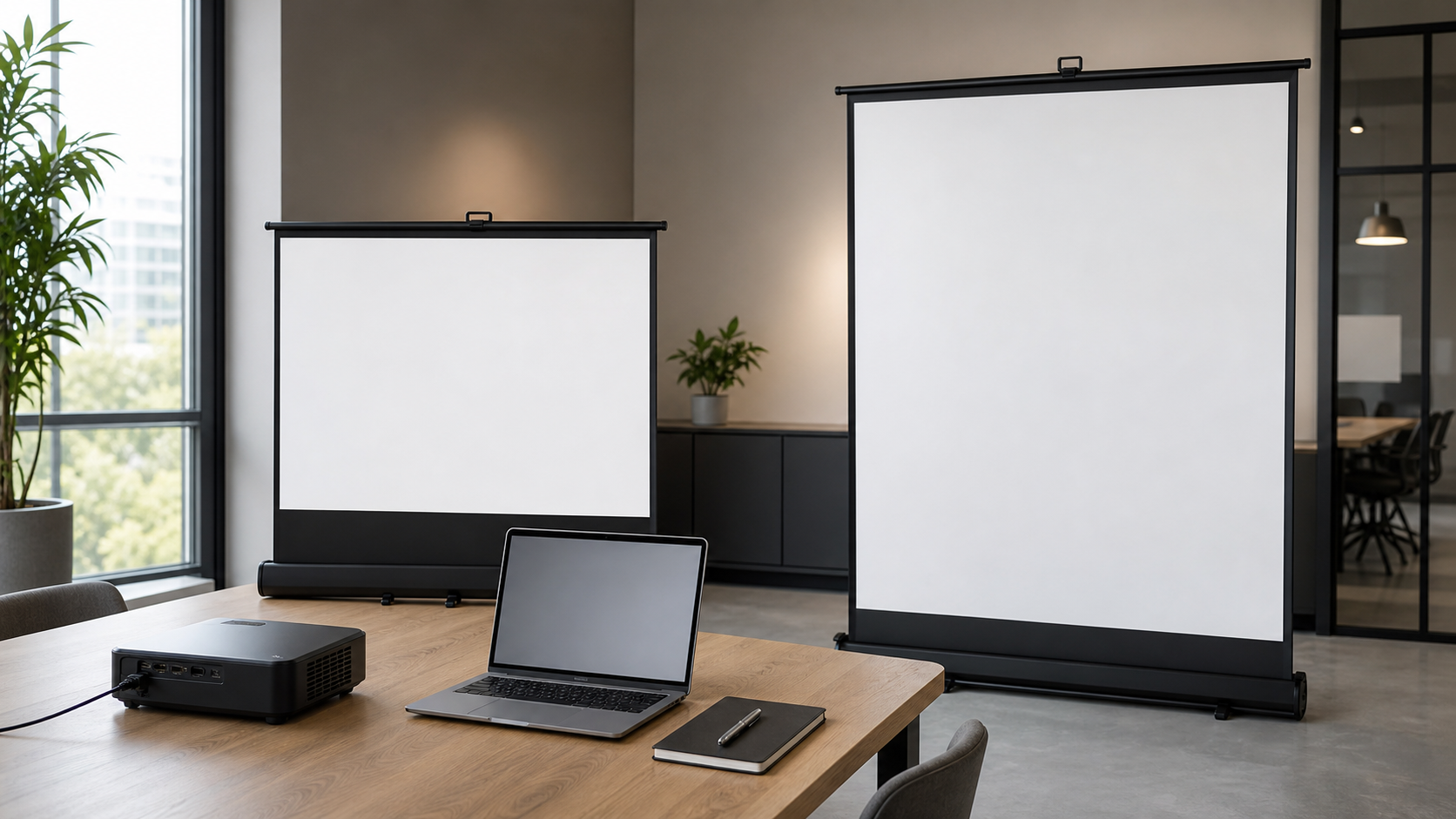
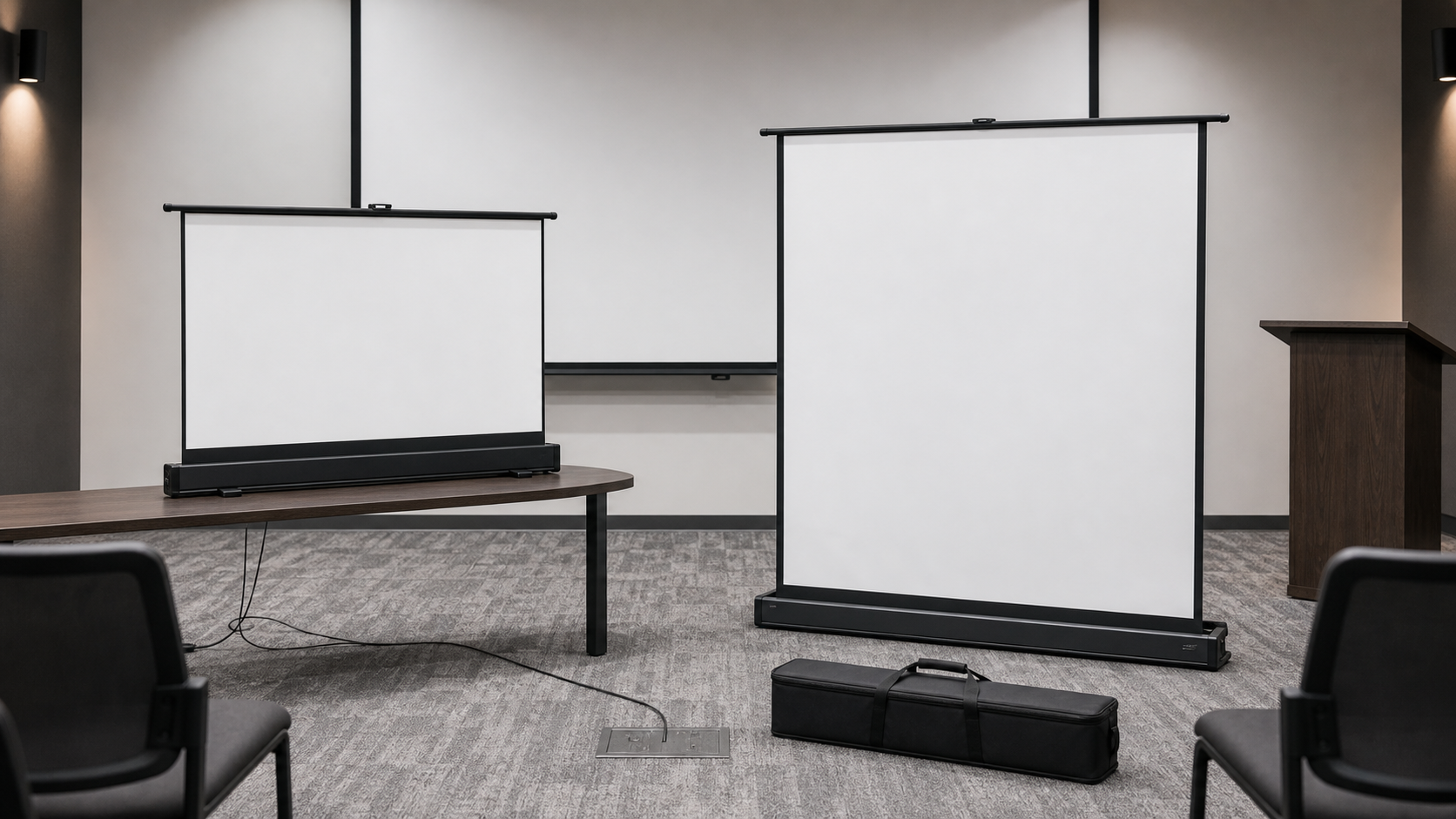
Tabletop and floor pull-up projection screens are designed for presentations that move between rooms or do not justify a permanent installation. Their main difference is the support footprint and image height: a tabletop screen sits on a desk or table, while a floor pull-up screen rises from a base on the floor.
The choice should follow the room, audience, image size, furniture, projector position and storage workflow—not only the screen’s folded length.
Who This Guide Is For
This guide is for AV integrators, distributors, contractors and project buyers who need a documented selection and project-planning path for this topic before requesting a quotation.
Compare the Operating Environment
| Requirement | Tabletop screen | Floor pull-up screen |
|---|---|---|
| Support | Desk or table | Floor base or enclosure |
| Image height | Limited by tabletop position | Can rise above furniture, model dependent |
| Mobility | Easy room-to-room movement | Requires floor space and clear travel path |
| Typical use | Small meeting, sales demo, classroom | Larger mobile presentation or flexible room |
| Critical check | Stable table and viewing height | Base stability, pull-up travel and storage |
For product direction, compare the Manual Projection Screens, Classic Manual Self-Lock Screen and Portable Projection Screens pages.
When a Tabletop Screen Is the Better Fit
A tabletop screen may suit a small room where the projector and audience are close, the table is stable and the image can remain below or near the presenter’s eye line. It is useful for product demonstrations, sales meetings and occasional training.
Check the table depth, screen base, image height, projector placement, power cable and audience line of sight. The base should not block the presenter’s materials or create a tipping risk. Store the screen so the surface and case are protected from pressure and scratches.
When a Floor Pull-Up Screen Is the Better Fit
A floor pull-up screen may be considered when the image needs to rise above furniture, the audience is farther away or the screen must stand independently of the table. The floor base still needs a level surface and a clear deployment path.
Confirm the base footprint, pull-up mechanism, bottom-bar position, fabric path, storage method and the distance from the projector. A floor pull-up screen may be more visible to the room, so consider how it will be carried, secured and stored between sessions.
Image Size and Viewing Height
Start with visible image dimensions and aspect ratio. Use the projection screen size and aspect-ratio guide and test the image from the actual seats. For classrooms, connect the selection to the Education Classroom application; for business meetings, use the Conference Room page.
The same diagonal can feel different when one screen is on a table and another rises from the floor. Check the bottom image height, presenter position, subtitles, presentation text and any obstruction from laptops or furniture.
Material and Projector Matching
Matte white may be a practical starting direction in controlled rooms. Grey, ALR, UST/CLR or acoustic materials require a separate compatibility review. Use the Screen Materials Hub and request a sample when the room has bright windows or off-axis seats.
Do not transfer a material or gain claim from a fixed-frame product to a tabletop or floor pull-up product without model confirmation. Portable mechanisms, fabric tension and image geometry can differ by family.
Mobility and Storage Checklist
Check the complete route from storage to the viewing position. Visible image size, deployed product footprint and packed dimensions answer different questions.
Scroll horizontally to compare all columns on smaller screens.
| Check | Tabletop configuration | Floor pull-up configuration |
|---|---|---|
| Support and sightline | Available table area, surface suitability and seated sightline | Floor footprint, image height and furniture in front of the screen |
| Carrying and storage | Actual closed dimensions and model weight against the planned carrying method | Actual housing dimensions and handling route through doors or lifts |
| Projection position | Space for the intended projector and cables around the tabletop setup | Lens position, audience routes and clear space around the deployed screen |
| Daily operation | Who deploys, packs and stores the model, following its instructions | The same responsibilities, with the floor location and full travel path checked |
Use photographs from the actual intended seating positions and the current model drawing to shortlist a configuration. Neither format is automatically suitable for every small room. Compare portable models after confirming these constraints; do not substitute diagonal size for body dimensions or assume one-person handling without the model information.
Add the hired venue's restrictions
For a rented training room, confirm permission for fixing, temporary equipment and overnight storage before choosing a format. Record the complete journey from storage to the room, including vehicle space, doors, lifts, unpacking space and where cases stay during the session. Check which furniture and accessories the venue actually provides. Repeat the layout review when the venue changes its furniture or access arrangements.
MGF Product Direction
MGF can compare suitable product directions once the project brief confirms visible image size, aspect ratio, projector geometry, material direction, mounting condition, control requirements, quantity and destination market. The final quotation should identify the exact model, compatible material, drawing and approval information rather than treating a generic guide as a product specification.
Project / OEM Checklist
- visible image width, height and aspect ratio;
- projector model, lens position and image geometry;
- room or venue use, seating and ambient-light condition;
- proposed material, structure, mounting and service access;
- power, control and installation responsibility where relevant;
- required quantity, destination market, drawing revision and approval owner.
Continue Your Project Planning
- Screen Selection Guides
- Electric Projection Screens
- Fixed Frame Projection Screens
- Conference Room Applications
- Factory & Production
- Projection Screen Size and Aspect Ratio Guide
- Contact MGF Screens
FAQ
Is a tabletop screen suitable for a classroom?
It can be suitable for small or mobile teaching setups, but check image height, student sightlines, table stability and room size.
Is a floor pull-up screen more stable?
Stability depends on the base, floor condition, setup and exact model. Do not assume it without a product-specific review.
Can these screens be used with UST projectors?
Only when the material and geometry are compatible with the exact UST setup. Request a model-specific recommendation and sample.
What should be stored with the screen?
Keep the case, support parts, instructions, model record and cleaning guidance together.
Request a Mobile Presentation Screen Review
Send the room size, audience distance, desired image size, projector, furniture layout and storage method to MGF Screens. The support footprint and image height should be approved together.