Start with the Smallest Content People Must Read
Bring a typical spreadsheet, presentation and video-conference layout to the room. Use the normal application scaling and include the smallest text that matters to a decision. Check the farthest seat and side seats, not just the position beside the display. Record the image dimensions and the seating positions that can read the required content comfortably.
A diagonal-size label does not establish readability. Aspect ratio, actual content size and seating all affect the evaluation. Epson's conference-room display planning advice also starts with typical content and the farthest seat. That 2014 article is background for the method, not a source of current prices or a guarantee for present-day equipment.
Use the screen size and aspect-ratio guide to calculate visible dimensions. Keep those calculations separate from housing, mounting and room-clearance measurements.
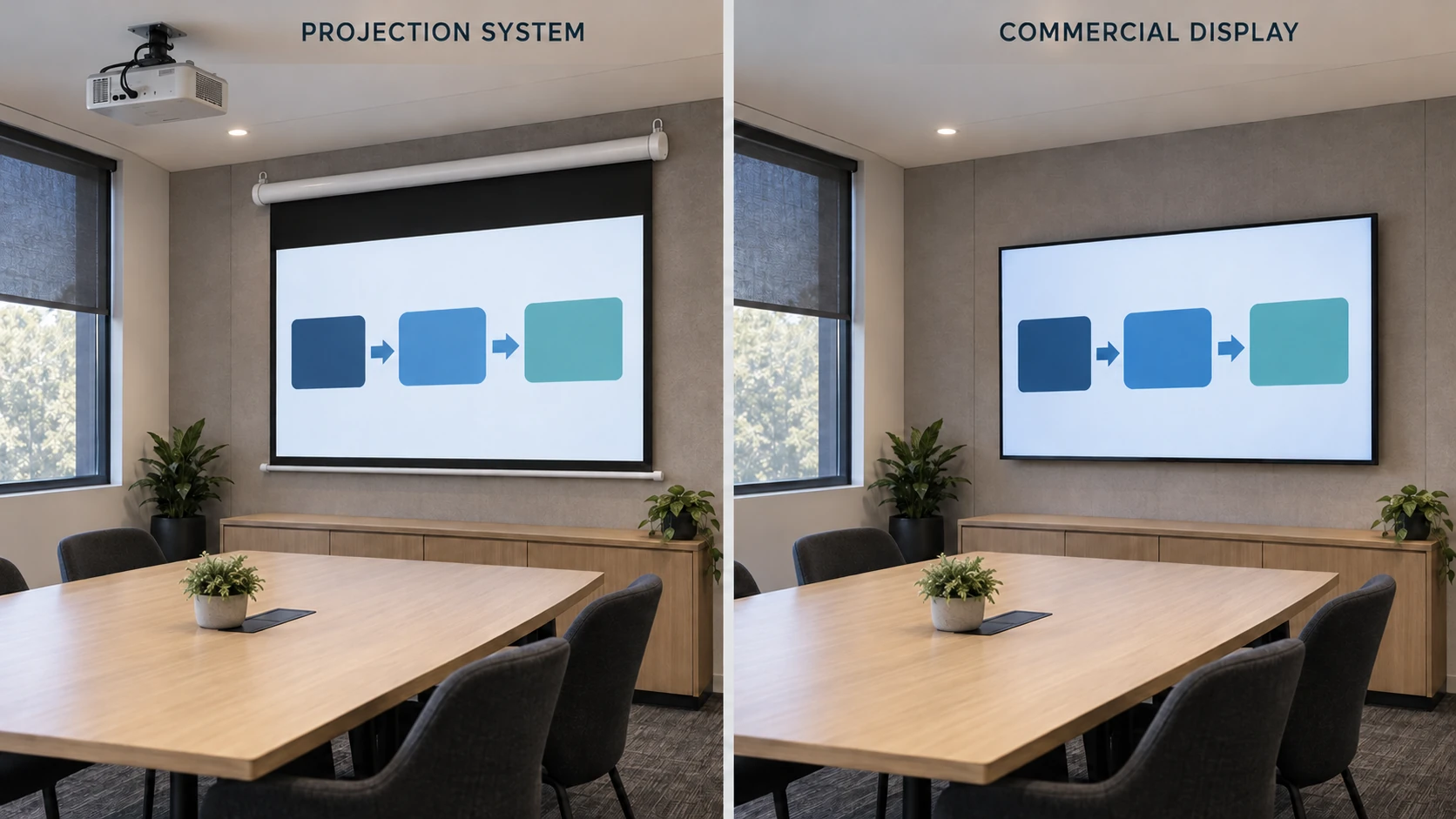
Compare the Complete Installed System
Ask for a defined configuration on each side. A screen-only quotation cannot fairly be compared with a complete display installation, and the projector purchase price alone omits part of a projection system.
Scroll horizontally to compare all columns on smaller screens.
| Item to compare | Projector and screen | Commercial display |
|---|---|---|
| Image system | Projector, lens and screen material/structure | Exact display model and usable image area |
| Mounting and access | Screen support, projector location, cabling and service access | Wall/stand support, delivery access, cabling and service access |
| Room interaction | Light reaching the screen, projection path and deployed-screen clearance | Reflections, viewing positions and permanently occupied wall/stand space |
| Daily operation | Sources, switching, controls and any screen movement | Sources, switching, controls and operating settings |
| Ownership scope | Installation, commissioning, maintenance and agreed support | The same scope and time period for comparison |
List quantity, destination, currency, quotation date and validity, taxes, freight, installation and exclusions before comparing totals. Check the applicable operating requirements and warranty for each exact device. This guide does not quote equipment prices or assume that MGF supplies the projector, commercial display or complete AV installation.
Record Room Light and Seating Positions
Evaluate both options during the conditions in which the room is normally used. Keep the source content and required readable elements the same. Record which lights are on, the window/blind condition, the time of day and the occupied seats. If the conditions change between demonstrations, disclose that difference.
A projection material's response depends on the projector direction and room-light directions. A display also needs an assessment of reflections and viewing positions. Do not translate a label such as ALR, laser or commercial into an automatic result for the room. See the material selection guide when projection remains a candidate.
When a Retractable Screen Helps a Multipurpose Room
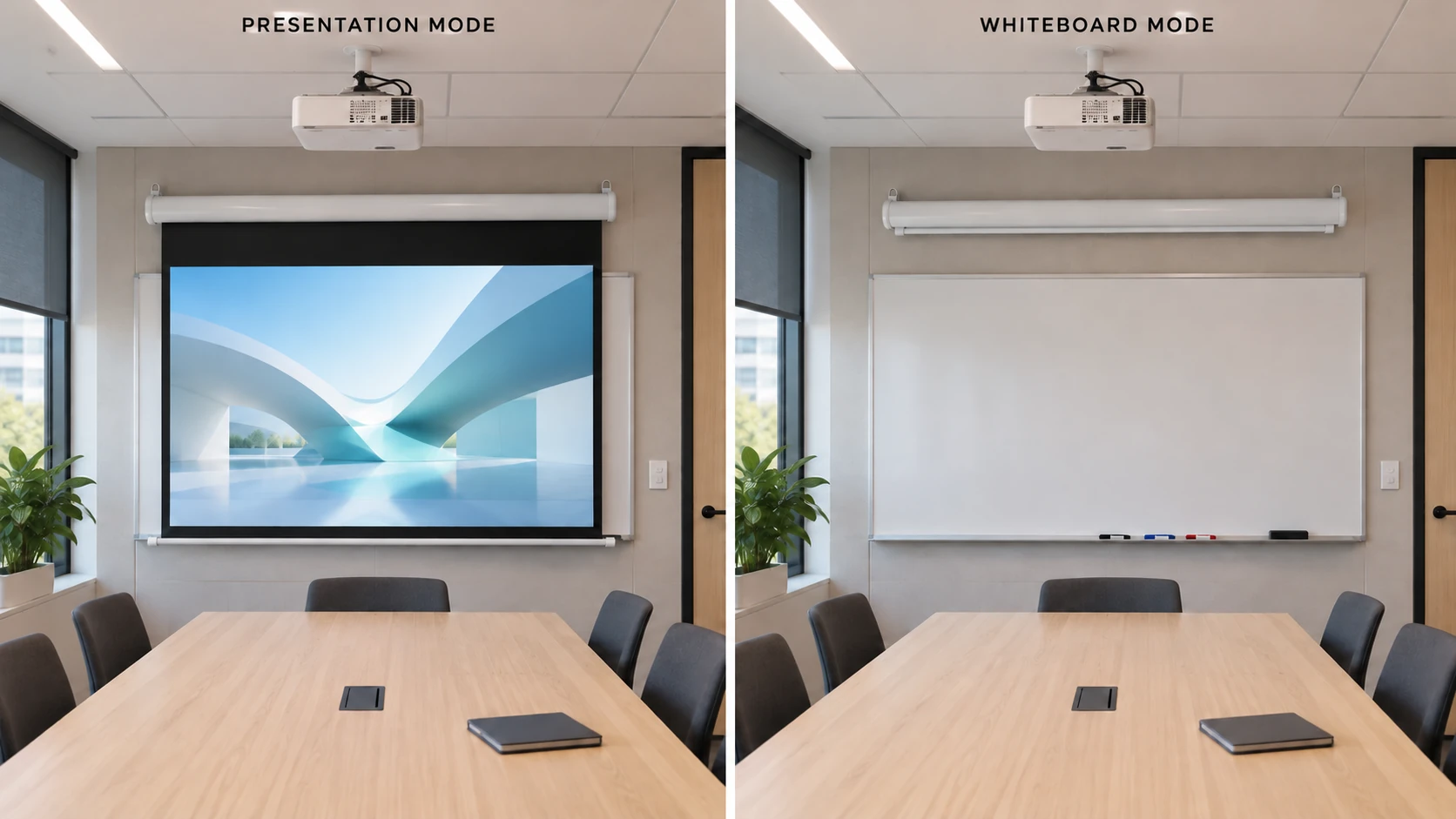
A retractable screen can allow a wall, whiteboard or other room feature to be used after the screen is stored. Review the actual deployed image location, housing position and travel path. The arrangement only works if support, power, controls and future access can be coordinated.
Make a room elevation showing both modes: screen stored and screen in use. Mark any overlap with another display, doors, furniture and the presenter. This is a planning exercise, not evidence that a particular ceiling or screen model has been approved.
When a Commercial Display May Be the Better Fit
Consider a commercial display when its image size passes the room's content test and a permanent display location fits the daily workflow. It may be a practical choice where the proposed projection location, light control or service arrangement cannot meet project requirements.
Consider projection when the required image size and room use support it, and an appropriate projector, material and installation can be verified together. Neither option wins solely because the room has a particular number of seats. If neither demonstration meets the reading requirement, revisit content scaling, seating or the system design with the AV integrator.
A Meeting-Room Evaluation Checklist
Scroll horizontally to compare all columns on smaller screens.
| Record | Decision it supports |
|---|---|
| Smallest required text and example files | Defines what viewers must actually read |
| Seating plan and checked positions | Records the audience the evaluation covers |
| Actual image width, height and format | Makes the compared image areas explicit |
| Room-light conditions and photographs | Explains the environment in which observations were made |
| Equipment/configuration references | Identifies which systems were evaluated |
| Mounting, source switching and controls | Confirms whether the proposal fits everyday operation |
| Installation and ongoing support scope | Makes quotation differences visible |
| Observations, reviewer and unresolved items | Records the decision without inventing a universal score |
Keep the completed evaluation with the project brief. Repeat the relevant checks if the equipment, image size, material or room conditions change.
Request a Screen Configuration Review
If projection is shortlisted, send MGF the room dimensions, seating plan, projector/lens, content type, image size, light conditions, mounting constraints, quantity and destination. The conference-room application page and screen configuration guide explain the next product-selection steps.
Questions About This Review
Is a projector always better for a large meeting room?
No. Evaluate the required content from the actual seats and compare complete configurations under the room’s normal conditions. Room size alone does not select the technology.
Can I compare a screen quotation with a display quotation?
Only after making the scope comparable. Identify the projector and lens, screen, mounting, controls, installation, freight and support alongside the equivalent display-system scope.
Does an ALR screen remove the need to check room light?
No. Review the exact material, projector position and unwanted light directions, then verify the image from the intended seats.
Does MGF supply every component in the comparison?
This guide supports screen selection. Confirm the actual MGF supply scope in the quotation; it does not imply supply of a commercial display, projector or complete AV system.